
Browser Extension
The Modify button that is missing on Pinterest, Etsy, and every jewelry site.
You finally found it!
Diamra: Custom Jewelry Tool is a free Chrome extension. It puts a Modify button on jewelry photos on Pinterest, on Etsy, and on the sites of jewelry stores we work with. Click the button and the photo opens in a design studio, where you change the metal, the stones, and the details, then order the finished piece from a real jeweler.
Free on the Chrome Web Store. Works in Chrome, Edge, Brave, and other Chromium browsers.
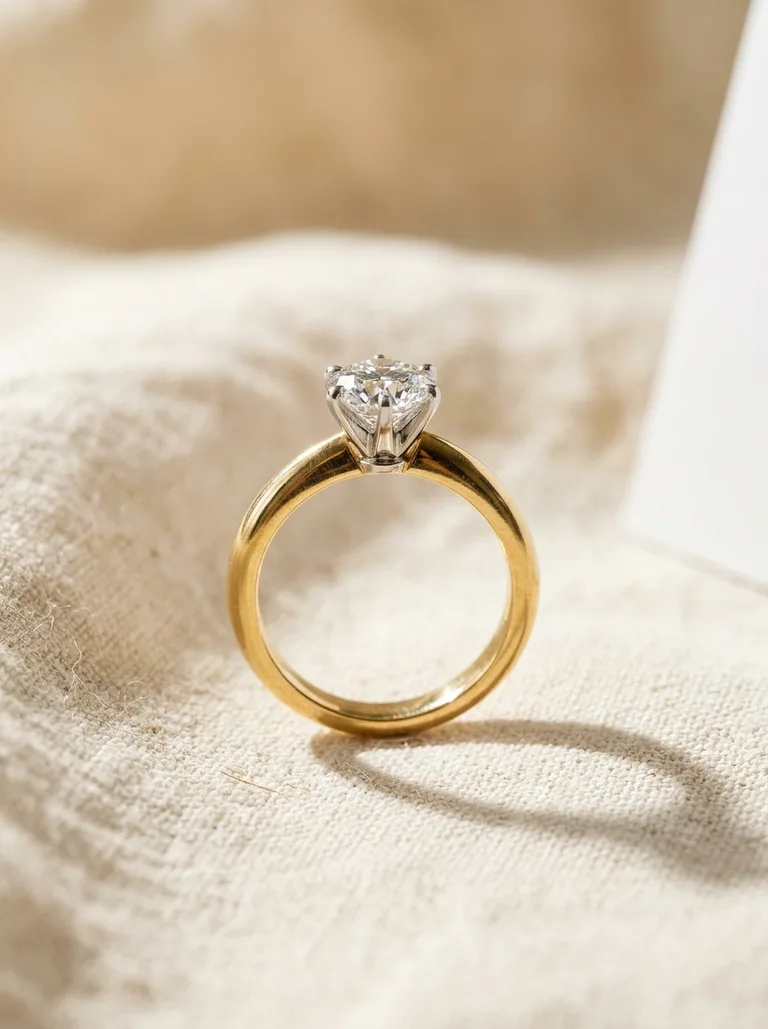
Live demo. The studio opens in a new window.
The Modify Button
Every jewelry photo becomes a starting point
You already save jewelry photos. Boards full of rings, favorited listings, screenshots you send to friends. The extension puts a quiet Modify button on those photos, right where you find them.
Try it here. Pick one of the three photos and click Modify, the same button the extension adds on Pinterest and Etsy. The design studio opens with that piece as your starting point.
Where It Works
The places you already look at jewelry
Home feed · Boards · Search · Pin pages · Ad muting
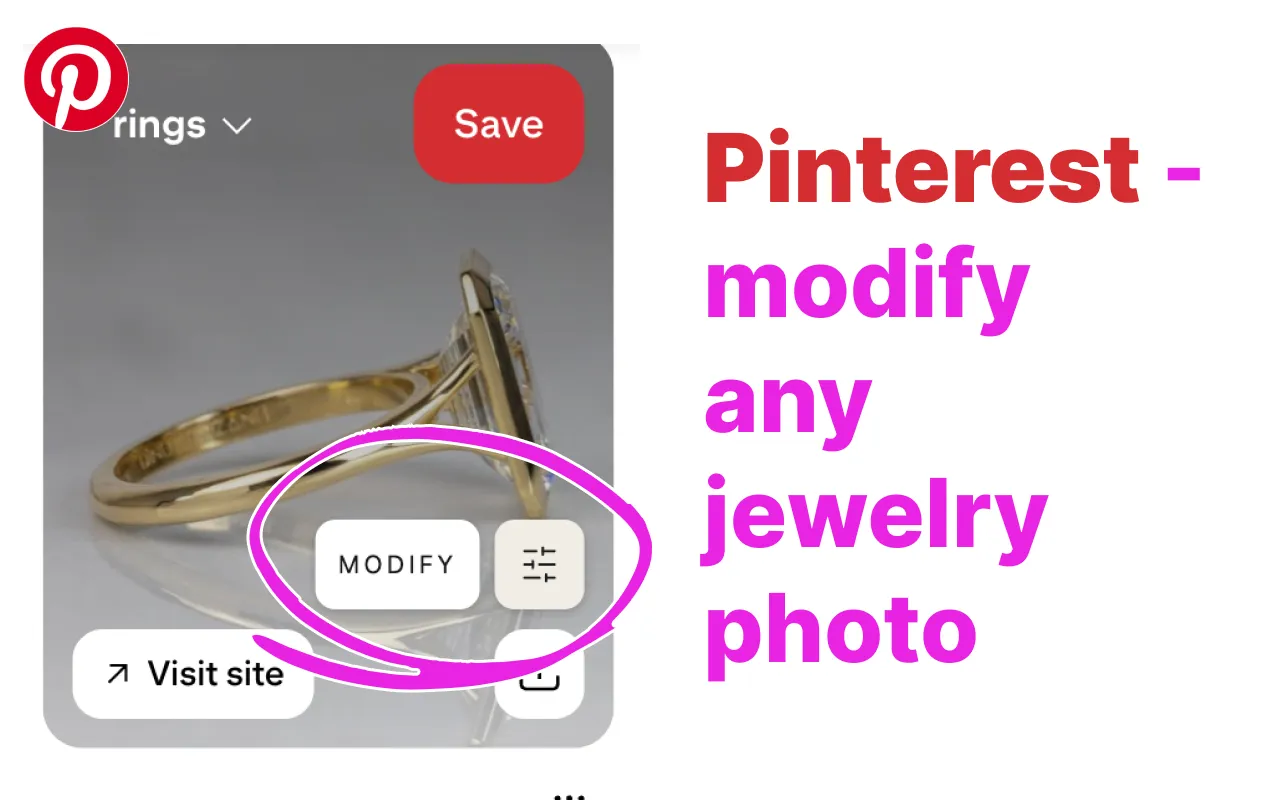
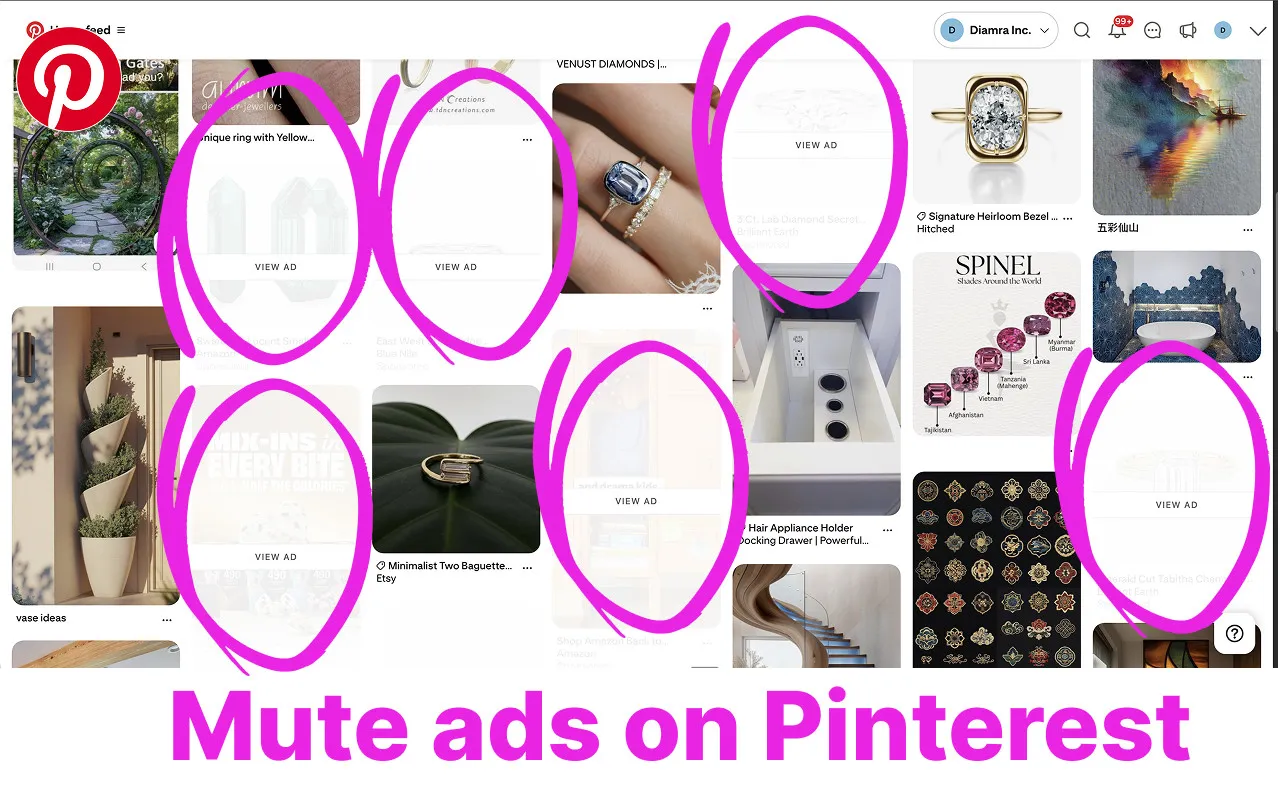
The Modify button appears on jewelry pins in your home feed, on your boards, in search results, and on the pin page itself. Sponsored pins are dimmed behind a small View ad label, so the feed you scroll is jewelry, not advertising. Hover over a dimmed pin whenever you want to see it.
Etsy
Categories · Search · Homepage · Listing photos
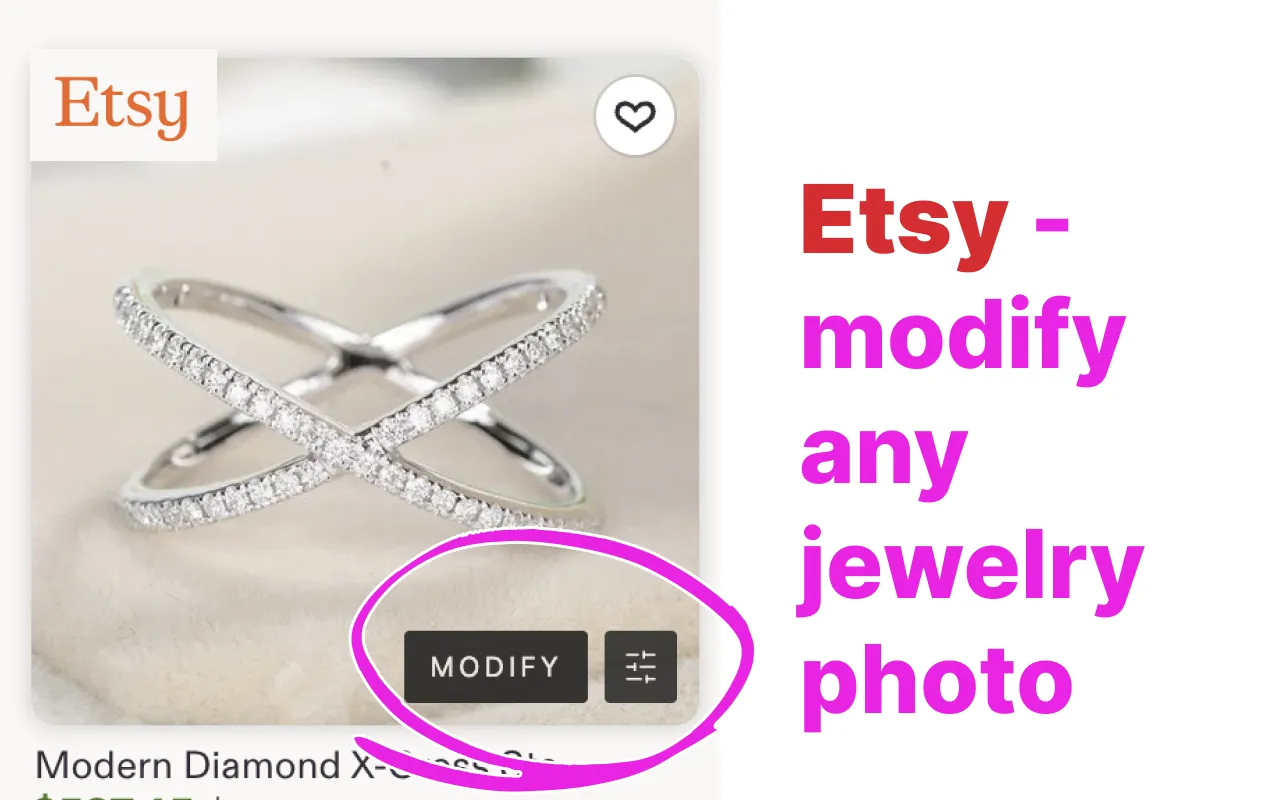
Jewelry listings get the button on category pages, in search, on the homepage, and on every photo of a listing page. The extension recognizes jewelry by reading the listing, so lamps, vases, and jewelry boxes are left alone.
Jewelry stores
Product pages · In-page design studios
Stores we work with get the button on their product pages. Some go further and run the full design studio on their own site, the way Vlora Jewelry does on its Custom page. We are adapting the extension to new stores now, and a catalog of every supported store will be published on this page.
How It Works
From a photo you found to a piece you designed
01
Add it to Chrome
One click on the Chrome Web Store. No account, no setup. A toolbar icon switches the extension on and off whenever you like.
02
Browse as usual
Scroll your Pinterest feed, search Etsy, visit a store you love. A Modify button appears on jewelry photos as they load.
03
Click Modify
The photo opens in a design studio as your starting point. Ask for yellow gold instead of white, an oval stone instead of round, a slimmer band, an engraving.
04
Order it, if you want to
New photos of your version arrive in about a minute. Keep the ones you like. When one feels right, request a price from the jewelry store, and they make it and ship it.
What You Can Change
A small edit, or a different piece entirely
The photo you clicked is the reference. From there you say what should be different, in plain words, and the studio shows you the result as new photos. Repeat until it is yours.
Change the metal
The same ring in yellow gold, rose gold, platinum, or silver. New photos, same design.
Swap the stones
A round diamond becomes an oval. A diamond becomes a sapphire. Center stone, side stones, or all of them.
Adjust the design
A slimmer band, a higher setting, a hidden halo, a matte finish, an engraving on the inside. Plain words are enough.
Start from any photo
A pin, a listing, a product shot. The studio also takes uploads from your phone, hand sketches, and written descriptions.
Keep every version
Designs you keep are saved to your account. Come back later, compare versions, and pick up where you stopped.
End with a real piece
Send the design to a jewelry store when you are ready. They check it, quote a price, and make it.
For Jewelry Stores
Put your catalog in the extension
We adapt the extension to stores one site at a time, so shoppers can start a design from your product photos and the order lands with you. Your store also joins the supported-stores catalog on this page. Our team handles the setup.
Common Questions
Frequently asked
Yes. The extension is free, and so is trying designs. You pay only when you decide to order a piece from a store.
Pinterest, Etsy, and a growing list of jewelry store sites. New stores are added one by one, and the full catalog will be published on this page.
Not for browsing. When you want to save a design or place an order, you sign in inside the studio with your email or phone. Designs you keep stay in your account.
It adds a Modify button on jewelry photos, and on Pinterest it dims sponsored pins. Nothing else is touched, and the original pin or listing is never modified. The toolbar icon turns everything off in one click.
The photo opens in a design studio in a new window, as the reference for your piece. You describe what should be different and get new photos with those changes applied.
None while you browse. It sits idle except on supported sites, where it draws the button. When you click Modify, the address of that photo is passed to the studio. That is the extent of it.
Chrome, and Chromium browsers that install from the Chrome Web Store: Edge, Brave, Arc, and Opera. Safari and Firefox are not supported yet.
Yes. The design studio also accepts uploaded photos, hand sketches, and written descriptions, so a photo from your phone works as well as a pin.
A real jewelry store. The store reviews your design, confirms materials and price, and its workshop makes the piece. You deal with the store from order to delivery.
Yes. We set up the integration site by site, and our team handles it. Write to us through the support page and we will get your catalog in.
Try it on the next ring you see
Add the extension to Chrome, open Pinterest or Etsy, and click Modify on the first piece that catches your eye. It is free, and the toolbar icon turns it off in one click.