Creating a store in Diamra takes about ten seconds. You get a branded storefront at your own web address where customers can start designing jewelry right away. Here is how to do it.
Go to diamra.com and tap Add Store
Open diamra.com in your browser. In the top right corner of the navigation bar, you will see the Add Store button. Tap it to start.

Sign in with Google
Click Continue with Google. No passwords, no sign-up forms. One tap and you are in. Your Google account is used only for authentication.

Fill in your store name and address
Two fields: your store name and your physical address. That is the whole form. The address field has autocomplete, so start typing and pick from the suggestions.
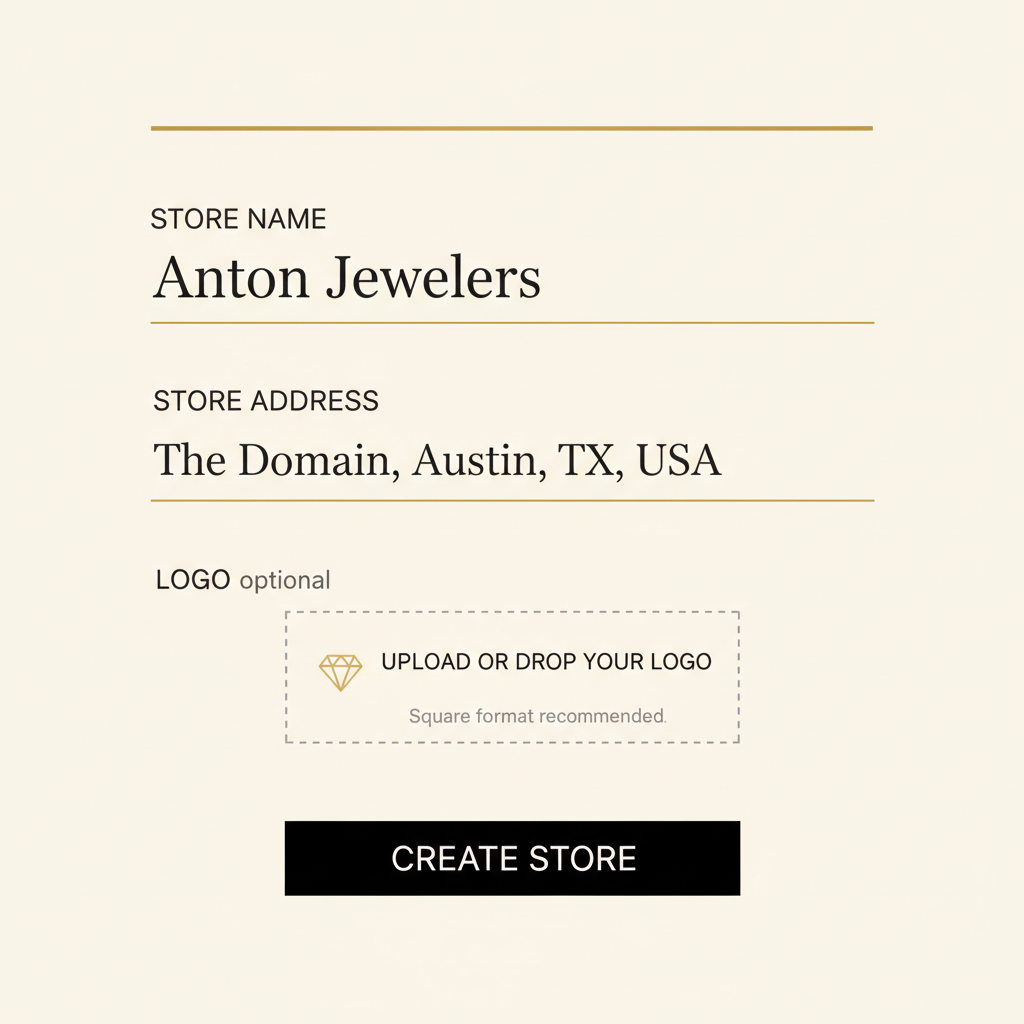
Upload your logo (optional)
Drop your logo if you have one ready. We resize and optimize it automatically. This part is optional. You can always add or change your logo later from the store settings.

Submit and go live
Hit submit. Your branded storefront is live at your own web address. Customers can visit your page and start designing jewelry right away. The whole process takes less than a minute.

That is it. Your store is live and ready for customers. You can customize your storefront, set pricing markups, and manage orders from your store dashboard.